> For the complete documentation index, see [llms.txt](https://thinkin.gitbook.io/thinkin/llms.txt). Markdown versions of documentation pages are available by appending `.md` to page URLs; this page is available as [Markdown](https://thinkin.gitbook.io/thinkin/get-started/recruitment-guide.md).
# ┃Recruitment Guide
### **What is a** Recruitment **feature?**
Introducing a revolutionary “Recruitment” feature that is set to transform the Web3 platform. This feature is specifically designed for those who believe in the blockchain concept and have diverse experience with various Web tasks.
With the “Recruitment” feature, job seekers in Web3 can now seamlessly search for job opportunities, while companies can effortlessly recruit skilled individuals to join their project or DAO. We understand that recruitment is crucial to the productivity and ultimate success of any Web3 company. Therefore, we have ensured that this feature is quick, user-friendly, and, above all, effective.
▶️ [**https://beta.thinkin.ink/recruitment/posts**](https://beta.thinkin.ink/recruitment/posts)
Traditionally, job seekers in Web3 have resorted to emailing potential employers, but with Thinkin’s “Recruitment” feature, the process of finding jobs or talented individuals to join your project or DAO is now easier than ever.
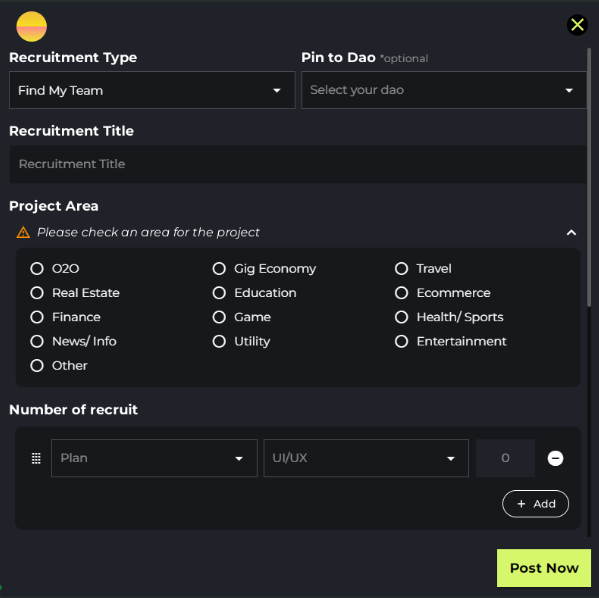
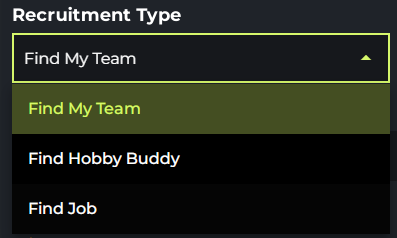
The recruitment feature in Thinkin is divided into three primary categories: “Find My Team”, “Find Hobby Buddy (DAO)”, and “Find Job”.
“Find My Team” is tailored towards users seeking talented individuals to join their project community, while “Find Job” is designed for job seekers in Web3. These features provide an excellent opportunity to collaborate, grow together, and build a thriving project community.
Moreover, those looking to find friends to share hobbies with, such as working out or playing games, can select the “Find Hobby Buddy” option and choose a category that aligns with their interests.
If you are looking to recruit a team member for your Web3 project or searching for job opportunities, head over to the “Find My Team” menu and select the talent you require for your Web3 or Web2.0 project, such as developers, marketers, and other related roles.
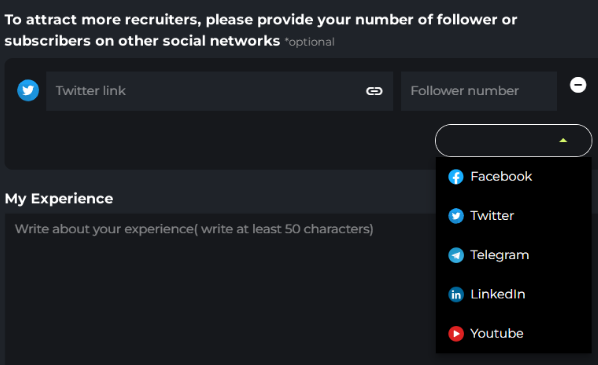
Thinkin’s “Recruitment” feature allows users to attach links to their social media profiles, including LinkedIn, YouTube, Twitter, and other platforms, to introduce themselves to potential employers or collaborators. Web3 projects can also outline what they are searching for in a candidate, while job seekers can share their experience and journey in Web3, including projects they have worked on in the past.
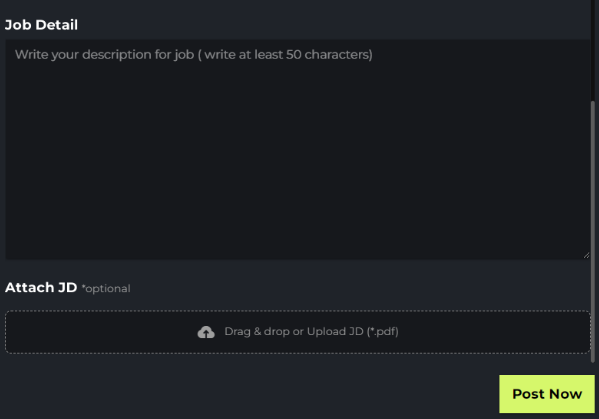
To leverage the power of Thinkin’s new features and enrich your Web3 business ecosystem, fill in the details of your career, and if you have a JD file to attach, simply drag and drop it in.
In summary, with Thinkin’s “Recruitment” feature, job seekers and companies in Web3 can now easily connect and collaborate, leading to a thriving Web3 ecosystem.